For IT resellers and service providers
Smart Pricing. Better Margins.
Quotiva shows you the profit on every renewal, recommends the right markup, and turns your prices into a professional quote in minutes.
No card needed. Works in your browser on Windows, Mac, Android and iPhone.
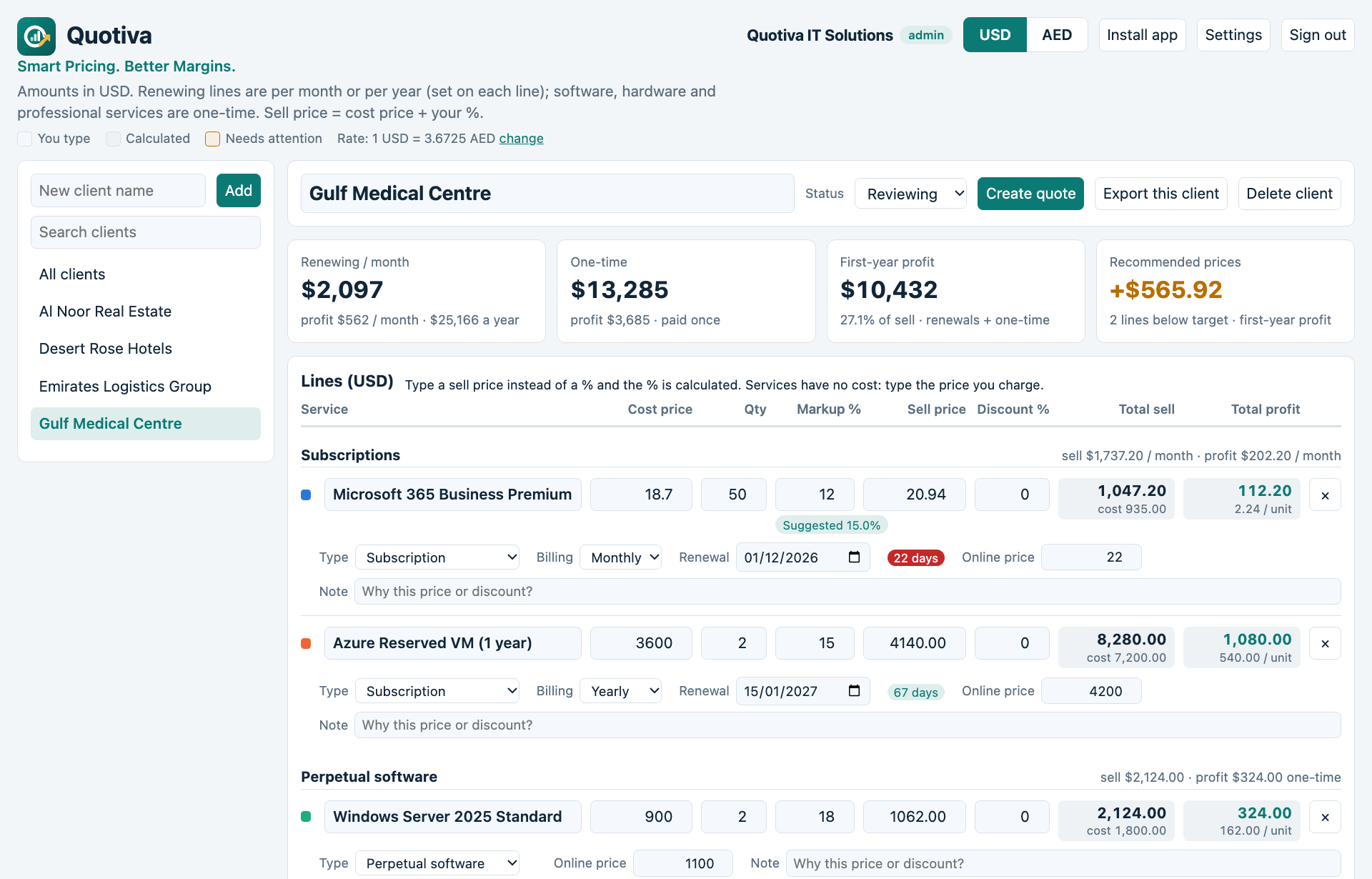
Everything you price, in one place
Built for the way IT companies actually sell: renewals, one-time items and services on the same deal.
Know your profit before you quote
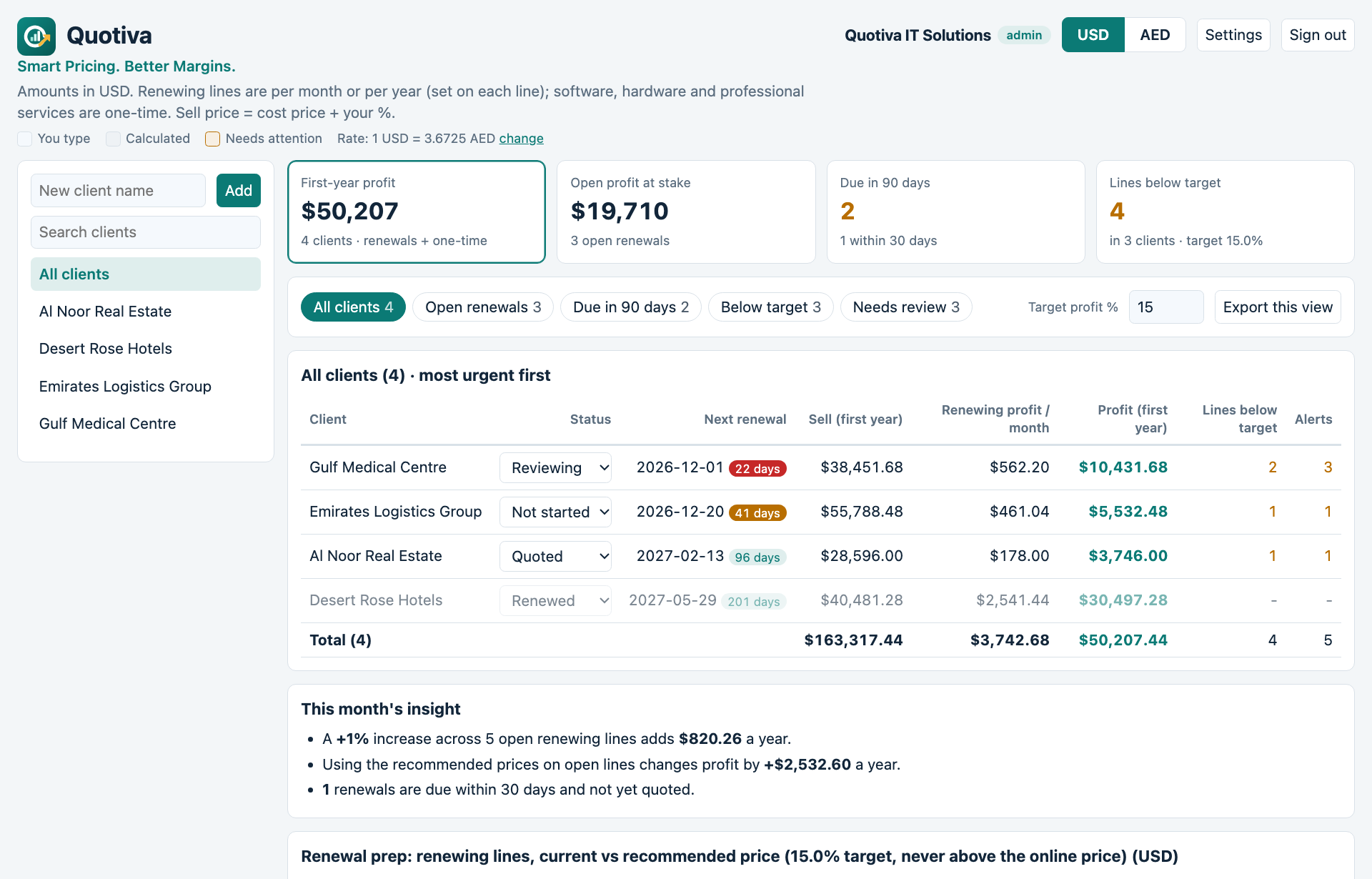
Type the cost and the quantity. Quotiva calculates the sell price, the profit per unit and the first-year profit, and warns you when a line is below your target or priced above the online price.
- Subscriptions billed monthly or yearly, with renewal dates
- Perpetual software and hardware as one-time items
- Professional and managed services, priced as you charge
- USD and AED, with your own exchange rate
Quotes your customers trust
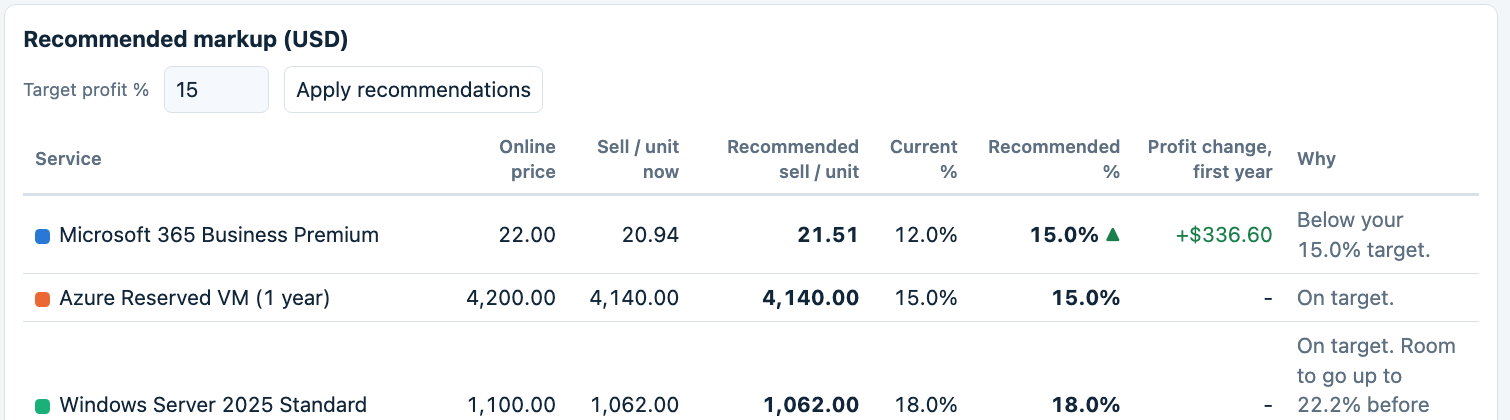
One click creates a quote with your logo, your company details, VAT per line and your terms. Download it as a PDF or send it by email with To, CC and BCC. Your cost and profit are never shown.
- Monthly or annual pricing for the same deal
- Automatic quote numbers
- Client address, TRN and contact remembered for next time
See where the money comes from
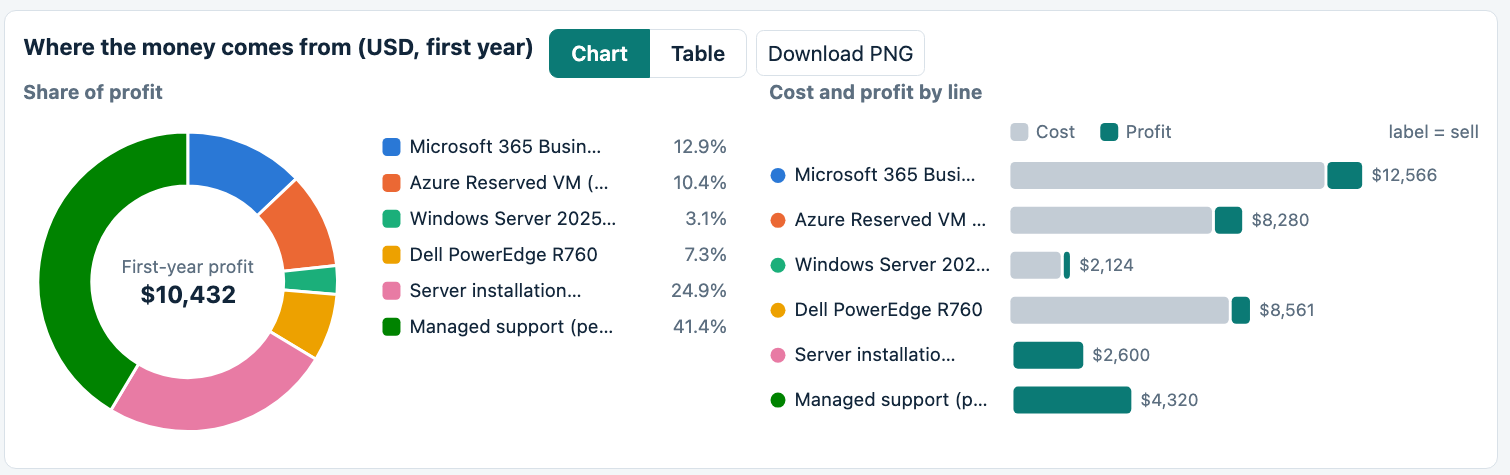
Charts show each line's share of profit and how every sell price splits into cost and profit. Save a snapshot when a renewal is final and compare it with next year.
- Renewals due in 30 and 90 days
- Lines below target across all clients
- Export to Excel (CSV) and download charts as images
Built for the people who run renewals
Whatever your role, you see the number you care about.
New: your pricing assistant
Meet Quo
Quo is the assistant built into Quotiva. Ask it a question in plain words and get an answer from your own clients, prices and renewals. No reports to build, no spreadsheets to dig through.
- Northwind Trading: Microsoft 365 Business Premium, markup 9.8%
- Al Noor Group: Firewall support, markup 11.0%
- Gulf Logistics: Backup subscription, markup 6.5%
Dear Sara, please find attached our quote for your renewal…
Example with sample data. Quick questions run inside the app; typed questions use Quo AI (Pro).
How it works
- Create your workspaceSign up, name your company and invite your team as admin, manager or viewer.
- Add a client and its linesSubscriptions, software, hardware and services. Paste rows from Excel to start faster.
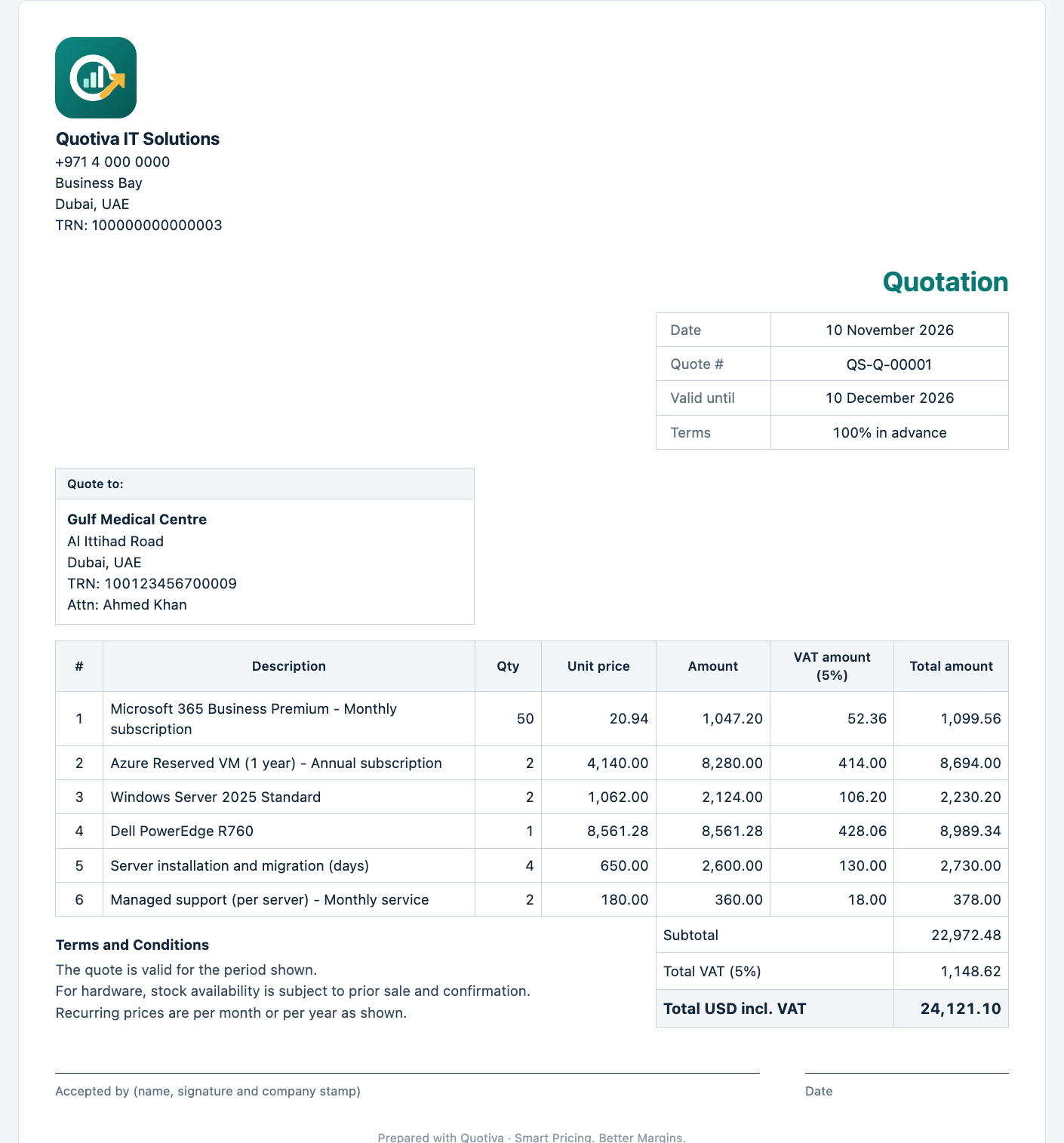
- Apply the recommendationsQuotiva suggests a markup for every line and shows the extra profit.
- Send the quoteDownload the PDF or email it to your customer straight from the app.
Your data, protected
Why not just use a spreadsheet?
Choose your Quotiva
Start with a 14-day free trial of everything, no card needed. After the trial, choose the edition that fits your team.
Standard
Everything to price, quote and invoice.
- Markup recommendations and profit analysis
- Quotes and tax invoices (PDF and email)
- Quote templates, colours and column options
- Product catalogue up to 500 items, CSV import
- Quo quick questions: instant answers from your data
- Teams with roles, USD and AED
Pro Includes Quo AI
Everything in Standard, plus your AI pricing assistant.
- Quo AI: ask anything about your clients, margins and renewals
- Quo writes quote emails and scope of work for you
- Quo reads a messy vendor price list into your catalogue
- Product catalogue up to 5,000 items
- Priority support
Your data stays yours. Quo can be switched off by your admin at any time.
Talk to us
Ask for pricing, a quote or a demo. We reply by email, usually within one working day.
Questions
Who is Quotiva for?
Companies that resell software licences, cloud subscriptions and hardware, or provide IT services: account managers, operations managers and sales teams who prepare renewals and quotes.
Do I need to install anything?
No. Quotiva runs in your browser. You can also install it as an app from Chrome or Edge on Windows and Android, or add it to the Home Screen on iPhone.
Can I bring my existing prices?
Yes. Copy rows from Excel and paste them into Quotiva (Settings, Data, Import).
Will my customers see my cost?
No. Quotes show sell prices only. Cost and profit never appear on a quote.
What happens when the trial ends?
Nothing is deleted. The workspace becomes read-only until a subscription is activated, and you can still download your data.
What is Quo, and is it included?
Quo is the assistant inside Quotiva. Every edition includes Quo quick questions, answered instantly from your data. Quotiva Pro adds Quo AI: ask anything, write quote emails and scope of work, and import price lists. The free trial includes a taste of Quo AI.
Is my data safe with Quo?
Quick questions run inside the app. When you use Quo AI, only the data needed for that request is sent to our AI provider (Anthropic) to produce the answer. Quo cannot change your data. Admins can switch Quo off. See our Privacy Policy.
How do I get help?
Email [email protected].